 my
Orders and customer cards
Import Square POS and online orders, match customer records or select a default Square customer, and transfer supported MYOB orders or invoices.
MYOB SYNC / COMMERCE
Connect Australian Square POS and online sales to MYOB, with customer and item matching, inventory, product and price flows, refunds, processing fees and payouts.
Built by MySync · Australian support · Choose your data flows
HOW THE DATA CONNECTS
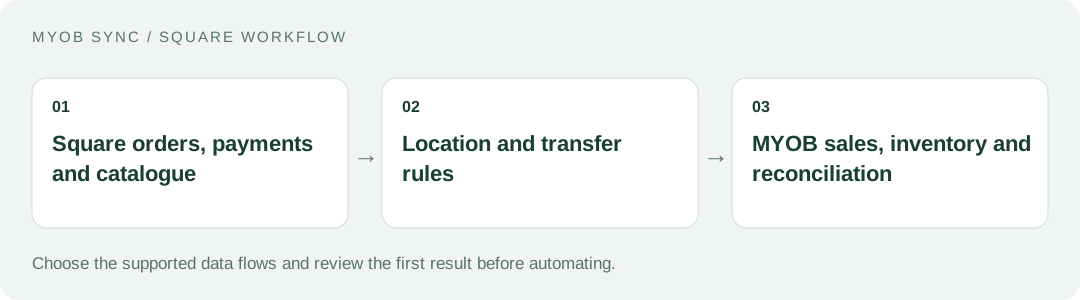
Bring in-person and online Square activity into the same MYOB accounting workflow. Choose the source records, review the destination and decide what should run automatically.
FEATURES AND POSSIBILITIES
Import Square POS and online orders, match customer records or select a default Square customer, and transfer supported MYOB orders or invoices.
Use exact SKU matching or an explicit fallback MYOB item. Tips and service charges require their own selected MYOB items.
Handle supported completed payments and partial or split tenders. Pending or approved payments alone are not collected funds; cash and external tenders need explicit mappings.
Review imported refund evidence and use supported itemised refund treatment. Unsupported or ambiguous refund cases remain visible for review.
Choose the Square location that receives eligible MYOB quantity updates. Review stock for individual matched variants before expanding automation.
Use the selected product flows and matching rules to coordinate MYOB items and the Square catalogue. Product creation is separate from quantity updates.
Configure the supported price flow independently of inventory, reviewing the intended source and destination item before scheduling.
Use captured products, customers, orders, payments and job results to see what has been read and what has actually been transferred.
Keep supported Square processing fees separate from gross sale value, using explicit expense and clearing mappings.
Use supported payout evidence for clearing-to-bank transfers, instead of entering net deposits as another sale.
Start with manual imports, then enable the selected sales, payment, catalogue or financial flows and an eligible schedule.
BEFORE YOU CONNECT
If Square serves several stores or outlets, decide which location is linked to this setup and how its stock should relate to MYOB.
Cash, card, split payments, tips and external tenders have different accounting requirements. Prepare explicit mappings for the payment methods you actually accept.
Compare a period containing the sale, its processing expense and the eventual bank payout. Review refunds alongside their original sale.
PLANS AND OWNERSHIP
Free includes manual linked inventory updates and read-only imports. Basic AUD 14/month adds scheduled inventory, Plus AUD 28/month adds supported accounting flows, and Pro AUD 44/month adds advanced catalogue and price capabilities. Paid plans include a 14-day trial; confirm the current per-flow inclusions in the app.
Manage the connection, selected data flows and subscription from your app. Provider fees and subscriptions are separate from MySync. Connecting or disconnecting a provider is a different action from managing billing.
COMMON QUESTIONS
Yes. The order workflow covers supported Square POS and online sales, using the selected customer, SKU, tax and payment rules.
No. Connection approval, read-only import, saved transfer rules and an enabled transfer are separate actions. Choose the location and stock flow deliberately.
Use an online MYOB AccountRight company file, or an eligible MYOB Business file exposed through the same MYOB API, with the customer, inventory, sales or banking capabilities your chosen flows need. The MYOB brand or plan name alone does not establish compatibility. Contact MySync if you are unsure about your company file.
MySync builds and supports this connection. Contact support@mysync.io for compatibility and setup questions. Read our privacy policy and terms and conditions.
All MYOB Sync apps · All MySync integrations · Integration guides
LET’S CONNECT
Explore your app, review its features and choose the workflow your business needs.