 my
Customer details
Export valid email, name, company and address information from MYOB. Record-level notes identify skipped or rejected customer data.
MYOB SYNC / MARKETING
Connect MYOB customers and item records to Mailchimp audiences and a dedicated product catalogue, with previews, repeatable updates and clear export results.
Built by MySync · Australian support · Choose your data flows
HOW THE DATA CONNECTS
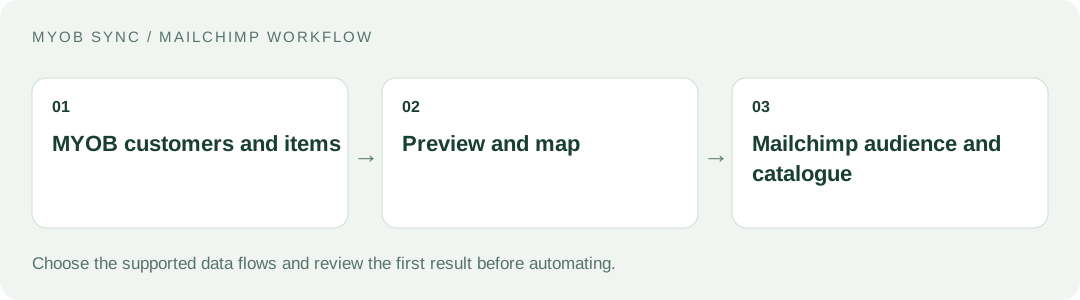
Bring accounting contacts and product information into one deliberate Mailchimp workflow. Choose the source records, review the destination and decide what should run automatically.
FEATURES AND POSSIBILITIES
Export valid email, name, company and address information from MYOB. Record-level notes identify skipped or rejected customer data.
Email-based identifiers support repeatable updates. Changed email addresses and conflicting manual edits are held for review.
New contacts are not subscribed to marketing by this sync. Existing subscription state is preserved; returned pending, cleaned and archived contacts are skipped.
Choose the destination audience intentionally. Customer exports and product exports have separate switches.
Send MYOB item names, descriptions, SKU identifiers, base selling prices and available inventory. Each MYOB item is represented by one product variant.
Provide HTTPS URL templates using an item SKU or UID when you have a real product or image destination. MYOB item data does not supply storefront photos.
The Mailchimp e-commerce catalogue is tied to the MYOB file, account, audience and currency. Existing stores managed by other integrations are not adopted or overwritten.
Existing exports are checked before updating. Review manually changed destination records and explicitly decide whether a later export may replace them.
Preview source records, enable the chosen flow and run a confirmed export. Saving Transfer rules does not itself send a manual export.
Use manual, hourly or daily runs, with captured Customers and Products pages, status notes and run counts. Stable identifiers support safe retries.
BEFORE YOU CONNECT
A Mailchimp audience stores contacts; its connected e-commerce store holds products and customer commerce records. Decide both destinations before the first export.
Find out whether another integration already maintains products. MySync uses a dedicated store so unrelated catalogue ownership remains clear.
Decide where an email click should take the customer and where genuine product images are hosted. Accounting item data alone cannot provide those links.
PLANS AND OWNERSHIP
One AUD 9 monthly plan includes customer and product exports, manual runs and schedules, with a 14-day trial.
Manage the connection, selected data flows and subscription from your app. Provider fees and subscriptions are separate from MySync. Connecting or disconnecting a provider is a different action from managing billing.
COMMON QUESTIONS
No. Marketing subscription status is separate from exporting a customer record, and the connector preserves existing subscription state.
MySync creates a dedicated e-commerce store instead of adopting another integration’s catalogue. Review the intended audience, currency and ownership before enabling product exports.
Use an online MYOB AccountRight company file, or an eligible MYOB Business file exposed through the same MYOB API, with the customer, inventory, sales or banking capabilities your chosen flows need. The MYOB brand or plan name alone does not establish compatibility. Contact MySync if you are unsure about your company file.
MySync builds and supports this connection. Contact support@mysync.io for compatibility and setup questions. Read our privacy policy and terms and conditions.
All MYOB Sync apps · All MySync integrations · Integration guides
LET’S CONNECT
Explore your app, review its features and choose the workflow your business needs.