 my
Marketplace order capture
Import orders and review buyer, line, shipping, tax and payment evidence before transferring eligible MYOB orders or invoices.
MYOB SYNC / COMMERCE
Connect Australian eBay orders to MYOB, maintain linked inventory and prices, and manage listing drafts, photos, fees and payouts from one integration.
Built by MySync · Australian support · Choose your data flows
HOW THE DATA CONNECTS
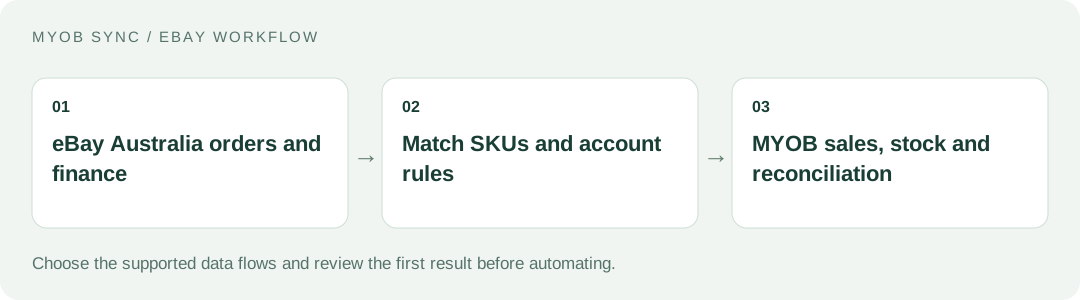
Bring marketplace selling and its accounting handover into a controlled, reviewable workflow. Choose the source records, review the destination and decide what should run automatically.
FEATURES AND POSSIBILITIES
Import orders and review buyer, line, shipping, tax and payment evidence before transferring eligible MYOB orders or invoices.
Match seller SKUs to MYOB items or explicitly select a default item for the sales workflow. Ambiguous matches need review.
Use the configured customer strategy and record eligible payment evidence against the matching MYOB document.
Keep imported and transferred statuses distinct and review uncertain results before repeating a financial write.
Prepare marketplace listing drafts from accounting item data, then supply the eBay-specific content required to sell.
Upload genuine item photos before publication. MYOB item records alone are not a complete marketplace listing.
Select the relevant payment, return and fulfilment policies and inventory location when preparing offers.
Review required category attributes and submit a listing explicitly. Preparing a draft is separate from publishing an eBay offer.
Update eligible linked listings from the selected MYOB stock and price sources, without treating an unlinked item as an authorised live listing.
Choose the supported fee flow and appropriate expense and clearing mappings instead of netting every charge out of sales.
Use supported financial evidence to distinguish gross sale value, marketplace charges and the net funds deposited into the bank.
Switch sales, listing, inventory, price and finance flows on deliberately in Transfer rules; save before running the chosen job.
BEFORE YOU CONNECT
MYOB items supply accounting identifiers and values. Selling on eBay also needs photos, category attributes and seller policies. Assign responsibility for those additions.
Decide whether MYOB should drive the quantity on linked eBay listings and how other sales channels consume the same stock.
Document how seller charges and net payouts reach accounting. The order, payment and bank deposit are related records with different meanings.
PLANS AND OWNERSHIP
The Australian eBay app uses monthly AUD plans. Check Account & help for the current Free, Basic, Plus and Pro inclusions, especially listing, photo, price and financial features.
Manage the connection, selected data flows and subscription from your app. Provider fees and subscriptions are separate from MySync. Connecting or disconnecting a provider is a different action from managing billing.
COMMON QUESTIONS
The app supports listing drafts, product photos and explicit publication with the required eBay attributes and business policies. Review the current plan and seller requirements before enabling this flow.
Yes, where configured by the sales workflow. Exact SKU matching remains useful when you need item-level accounting or inventory relationships.
Use an online MYOB AccountRight company file, or an eligible MYOB Business file exposed through the same MYOB API, with the customer, inventory, sales or banking capabilities your chosen flows need. The MYOB brand or plan name alone does not establish compatibility. Contact MySync if you are unsure about your company file.
MySync builds and supports this connection. Contact support@mysync.io for compatibility and setup questions. Read our privacy policy and terms and conditions.
All MYOB Sync apps · All MySync integrations · Integration guides
LET’S CONNECT
Explore your app, review its features and choose the workflow your business needs.