 my
Australian marketplace focus
Work with Amazon Australia marketplace orders and AUD accounting requirements instead of assuming all Amazon regions share one setup.
MYOB SYNC / COMMERCE
Connect Amazon Australia order, merchant-fulfilled listing, stock and settlement workflows with MYOB, keeping sales, marketplace fees and disbursements distinct.
Built by MySync · Australian support · Choose your data flows
HOW THE DATA CONNECTS
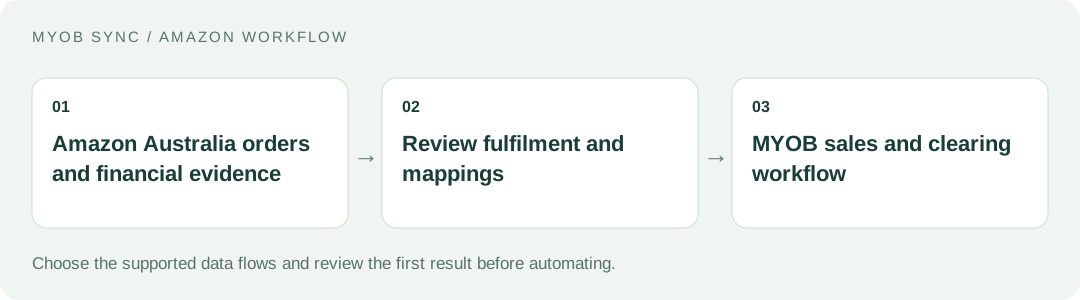
Give Australian marketplace operations a deliberate link to accounting and merchant-fulfilled inventory. Choose the source records, review the destination and decide what should run automatically.
FEATURES AND POSSIBILITIES
Work with Amazon Australia marketplace orders and AUD accounting requirements instead of assuming all Amazon regions share one setup.
Review seller SKUs, shipping, tax, order status and totals before exporting supported MYOB sales documents.
Use an appropriate default Amazon customer card when buyer personal information is not part of the authorised workflow.
Record eligible payments only when released financial evidence reconciles to the order. Shipping status by itself is not proof of received funds.
Use explicitly linked or app-managed merchant-fulfilled listings for MYOB-led stock changes. Amazon-fulfilled and mixed fulfilment stock are protected from those updates.
Choose the intended MYOB price source for eligible linked listings and review destination values before scheduling updates.
Prepare local drafts, existing-ASIN offers or new-product attribute work with uploaded photos. Category-specific details may still require manual entry.
Review validation results and submit a new listing explicitly. A submission being accepted does not by itself mean Amazon has made an offer buyable.
Supported released marketplace fees are expenses; evidenced net disbursements move funds from clearing to the bank.
Deferred amounts, reserves, unsupported adjustments, refunds and inconsistent totals stay available for review rather than becoming guessed accounting entries.
Review captured records, SKU links, run results and uncertain outcomes before repeating a transfer.
BEFORE YOU CONNECT
Identify stock controlled by your team versus stock controlled by Amazon. A single MYOB quantity is not an instruction to overwrite every fulfilment channel.
Decide which MYOB customer, item, tax and clearing mappings apply to Australian sales. Gross orders and later disbursements should not become duplicate revenue.
MYOB items can start the catalogue workflow, but Amazon category attributes, real images and offer eligibility need their own review.
PLANS AND OWNERSHIP
See the Amazon app for the plan options and supported flows offered to your account. Catalogue, inventory, sales and financial features have different requirements; choose the scope your business needs.
Manage the connection, selected data flows and subscription from your app. Provider fees and subscriptions are separate from MySync. Connecting or disconnecting a provider is a different action from managing billing.
COMMON QUESTIONS
No. MYOB-led quantity updates are restricted to eligible linked merchant-fulfilled listings. Amazon-fulfilled and mixed fulfilment inventory are protected.
No. Validation, submission acceptance and a buyable offer are separate stages. Amazon category and seller requirements still apply.
Use an online MYOB AccountRight company file, or an eligible MYOB Business file exposed through the same MYOB API, with the customer, inventory, sales or banking capabilities your chosen flows need. The MYOB brand or plan name alone does not establish compatibility. Contact MySync if you are unsure about your company file.
MySync builds and supports this connection. Contact support@mysync.io for compatibility and setup questions. Read our privacy policy and terms and conditions.
All MYOB Sync apps · All MySync integrations · Integration guides
LET’S CONNECT
Explore your app, review its features and choose the workflow your business needs.